New Track Titan Feature Launch | Introducing 3D Replay
Bring telemetry to life – watch the reference car pull away
It’s been a while since our last post, that’s not to say that we haven’t been busy – we’ve been quietly building the foundations that will now unlock much bigger features to come!
First up in an exciting string of features is: 3D Replays
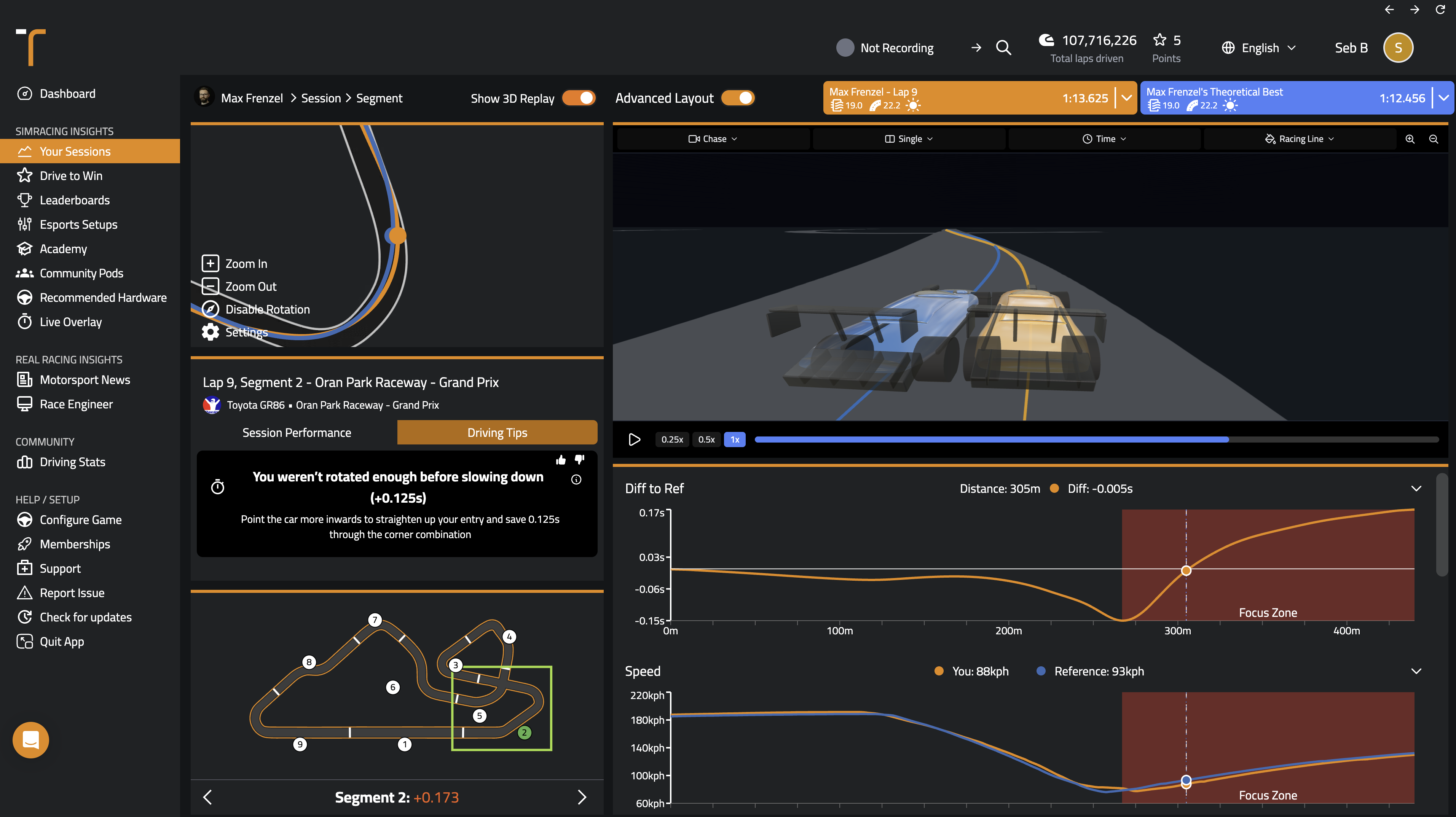
A 3D Replay renders telemetry directly into the app or browser, so instead of reading the gap off a graph, you can experience the deltas. For years, getting faster with Track Titan has meant studying your traces. This is and will likely always be a key part of the motorsport experience – virtual or real. But 3D Replay adds one thing traces can never quite give you: a real on-track sense of where the time actually goes.
What Is 3D Replay?
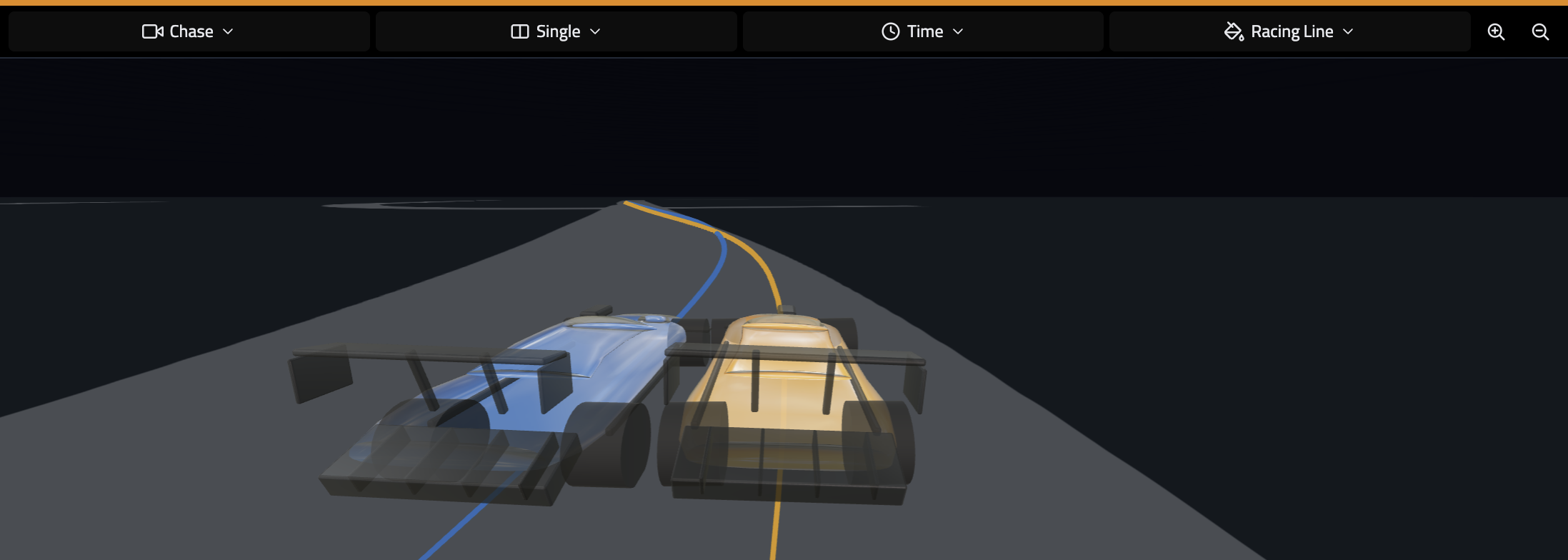
Every lap you drive already carries your position, steering, throttle, brake etc. 3D Replay renders that data as a clean 3D scene: your car, the reference car, and the racing line – directly on the track.
Scrub along any telemetry trace and both cars move with your cursor, right down to the metre. Overlay them as a ghost (Single View) and hit Play - you can see exactly where a faster car gets away from you.
A Few More Ways to Look at It
- Single or Dual View: overlay both cars as a ghost, or sit them side by side when overlapping input lines get busy.
- Chase, Onboard or Top-Down camera angles: pull right out with top-down to read both cars' positions and racing lines, sit behind the car in chase to watch how it's really moving, or drop into onboard to see the steering-wheel inputs from the driver's seat.
- Distance or Time Sync: Track Titan is distance-synced by default, so the cars stay locked together and the gap shows as a changing time delta. Switch on Time-Sync and that flips: the cars separate and you watch the reference car pull away, so the time you're losing becomes distance you can see.
- Throttle and Brake on the line: the colours (green & red) show not just where you differ, but what you did differently. Stamping hard on the brakes and the gradient turns sharp and sudden; ease in gently and it stretches out long and gradual.
How to Get Started With 3D Replay Today
Open any session, head into the segment analysis view, and flip the Show 3D Replay toggle at the top.
This is also just the first step in a bigger push to make Track Titan more visual. Telemetry is powerful, but seeing it is inspiring. Lots more to come.
That's it for now. As always, feel free to reach out at sebastian@tracktitan.io with any questions, comments or feedback.
All the best from London,
Seb and team


.jpg)